The mechanical keyboard market has split cleanly into two camps. Enthusiast custom builds that start at £300 and rise rapidly toward £800, and mainstream mechanical keyboards from established brands that sit comfortably under £150 and offer most of the typing joy with a fraction of the research effort. For buyers who want to upgrade from a membrane keyboard or a cheap gaming board but have no interest in soldering, lubing switches or waiting six months for a group buy, the mainstream tier is where the sensible money sits.
Three names dominate the sub-£150 shortlist in 2026: Keychron, NuPhy and Cherry KC. Keychron is the volume leader that normalised wireless mechanical keyboards for Mac users. NuPhy is the design-forward challenger that popularised low-profile switches in slim travel-friendly boards. Cherry's KC series is the original switch maker's attempt to reclaim premium-mainstream territory with its own completed keyboards. Our editors evaluated each against manufacturer-published specifications, independent typing feel assessments and the real-world ergonomics of 8-hour workdays.
What budget mechanical keyboards need to deliver in 2026
Hot-swap switches have moved from premium feature to table-stakes expectation under £150. Buyers want the option to change switch feel without replacing the keyboard, and most of the major brands now offer at least one hot-swap SKU in their mainstream range. The second expectation is wireless with low latency. Bluetooth 5.1 or newer with 2.4GHz dongle fallback is now standard, with claimed battery life ranging from 100 hours to 300 hours depending on backlighting choices.
The third shift is Mac compatibility. Dedicated Mac layouts with Command and Option keys printed on keycaps, OS switches that flip between macOS and Windows modes, and firmware that handles Mission Control and screenshot shortcuts out of the box are now expected rather than aspirational.
How we weighted the categories
Typing feel across pre-installed switch options, build quality and chassis rigidity, hot-swap support, wireless latency and battery life, cross-platform compatibility, keycap material and legend quality, software or firmware configurability and price against the UK street rate.
Keychron V and Q ranges: the volume leader for mixed Mac and PC households
Keychron has become the default recommendation for buyers who want a decent mechanical keyboard without reading a 40-page forum thread. The V range sits at the budget end with ABS plastic cases, hot-swap sockets, QMK and VIA firmware support and prices from roughly £70 for the smaller 60 and 65 per cent layouts to £120 for the full-size 108-key model. The Q range sits above £150 with aluminium cases, so for this comparison we focus on the V series and the newer K Pro range.
The V series ships with Keychron's own switches by default, including linear Red, tactile Brown and clicky Blue variants, and buyers can order with Gateron or Kailh switch options from most retailers. Keycap material is doubleshot PBT, which resists shine from skin oils better than ABS and holds legends through years of use. Backlighting is RGB on the Pro variants and white only on the base models.
Wireless on the K Pro range uses Bluetooth 5.1 with claimed battery life of 300 hours with backlighting off and 100 hours with backlighting on. The 2.4GHz dongle option is available on the newer K-Max line but not on all V-series boards.
Street pricing in the UK sits at roughly £70 for the V1, £85 for the V2, £95 for the V5 Alice-style ergonomic and £120 for the V6 full-size. US pricing lands at $85-150 and Australian pricing at A$140-240 depending on variant.
Where Keychron trails
The plastic case on the V range is competent but not premium. If you want the heft and acoustic damping of an aluminium case, you need the Q range or a Keychron Max variant, which pushes you to £180 and up. The default stabilisers on cheaper models can rattle and benefit from aftermarket lubing, which is exactly the enthusiast friction most budget buyers want to avoid.
NuPhy Air and Halo ranges: the low-profile design-forward pick
NuPhy carved out a niche by making low-profile mechanical keyboards that genuinely feel good to type on. The Air75 V2 and Air96 V2 use Gateron low-profile switches with hot-swap sockets, aluminium top cases, PBT keycaps and a slim 16mm case height that makes them realistic travel keyboards rather than desk anchors.
The Halo range sits above the Air series with full-height switches, more aggressive RGB and a more gaming-forward aesthetic. For the budget-mechanical use case, the Air75 V2 at roughly £129 in the UK is the sweet spot. The Air96 V2 at £149 adds a number pad in a space-efficient 96 per cent layout. Both support Bluetooth 5.1, a 2.4GHz dongle in the box and USB-C wired, with claimed battery life of 220 hours with backlighting off.
NuPhy's software ecosystem is less mature than Keychron's QMK and VIA integration. Key remapping works through the NuPhy Console, which is adequate but less flexible than open-source alternatives. For buyers who want to remap one or two keys and otherwise type on defaults, this is a non-issue.
Where NuPhy trails
Low-profile switches feel distinct from full-height switches and some buyers prefer the taller travel of a traditional mechanical. If you have never typed on a low-profile mechanical, visit a shop that stocks them before committing. The thinner case also means less acoustic volume, which some buyers love and others find lacking in satisfying thock.
Cherry KC 200 MX and KC 203 MX: the switch maker's own completed boards
Cherry invented the modern mechanical switch and spent decades selling to other keyboard makers. The KC 200 MX and KC 203 MX are Cherry's current attempts to sell completed keyboards directly to buyers in the £80 to £130 range. The KC 200 MX is a wired tenkeyless using Cherry's new MX2A switches with factory lubing. The KC 203 MX is a wireless 65 per cent model with Bluetooth and 2.4GHz support.
The MX2A switches are the biggest story. Cherry redesigned the stem, spring and housing to reduce friction and tune the sound profile, bringing switch feel closer to the premium aftermarket switches that enthusiasts have been buying from Gateron and Kailh for years. Buyers report a noticeably smoother keystroke than older Cherry MX switches, with less of the scratchiness that plagued the previous generation.
Pricing sits at around £89 for the KC 200 MX and £129 for the KC 203 MX in the UK, with equivalent US pricing at $99 and $149 and Australian pricing at A$149 and A$229. Build quality is competent plastic with reinforced plate, and keycaps are ABS doubleshot rather than PBT, which is the main compromise at this price.
Where Cherry trails
Hot-swap is not supported on the current KC range, which is a significant miss in 2026. Keycap material is ABS rather than PBT, which will shine with use. Software configurability is thinner than Keychron's VIA integration. These are competent keyboards but they feel like the first serious attempt from a brand that still has catching up to do in completed-board design.
Head-to-head comparison
Keyboard
Price
Hot-swap
Wireless
Keycaps
Keychron V1 (65%)
$85
Yes
Wired only
PBT doubleshot
Keychron K Pro (75%)
$110
Yes
BT 5.1
PBT doubleshot
NuPhy Air75 V2
$139
Yes
BT 5.1 + 2.4GHz
PBT doubleshot
Cherry KC 203 MX
$149
No
BT 5.1 + 2.4GHz
ABS doubleshot
UK pricing lands at roughly £70 for the Keychron V1, £95 for the K Pro, £129 for the NuPhy Air75 V2 and £129 for the Cherry KC 203 MX. All four weigh between 650g and 1.1kg depending on size, with the NuPhy noticeably lighter and slimmer than the rest.
What hot-swap actually means for buyers
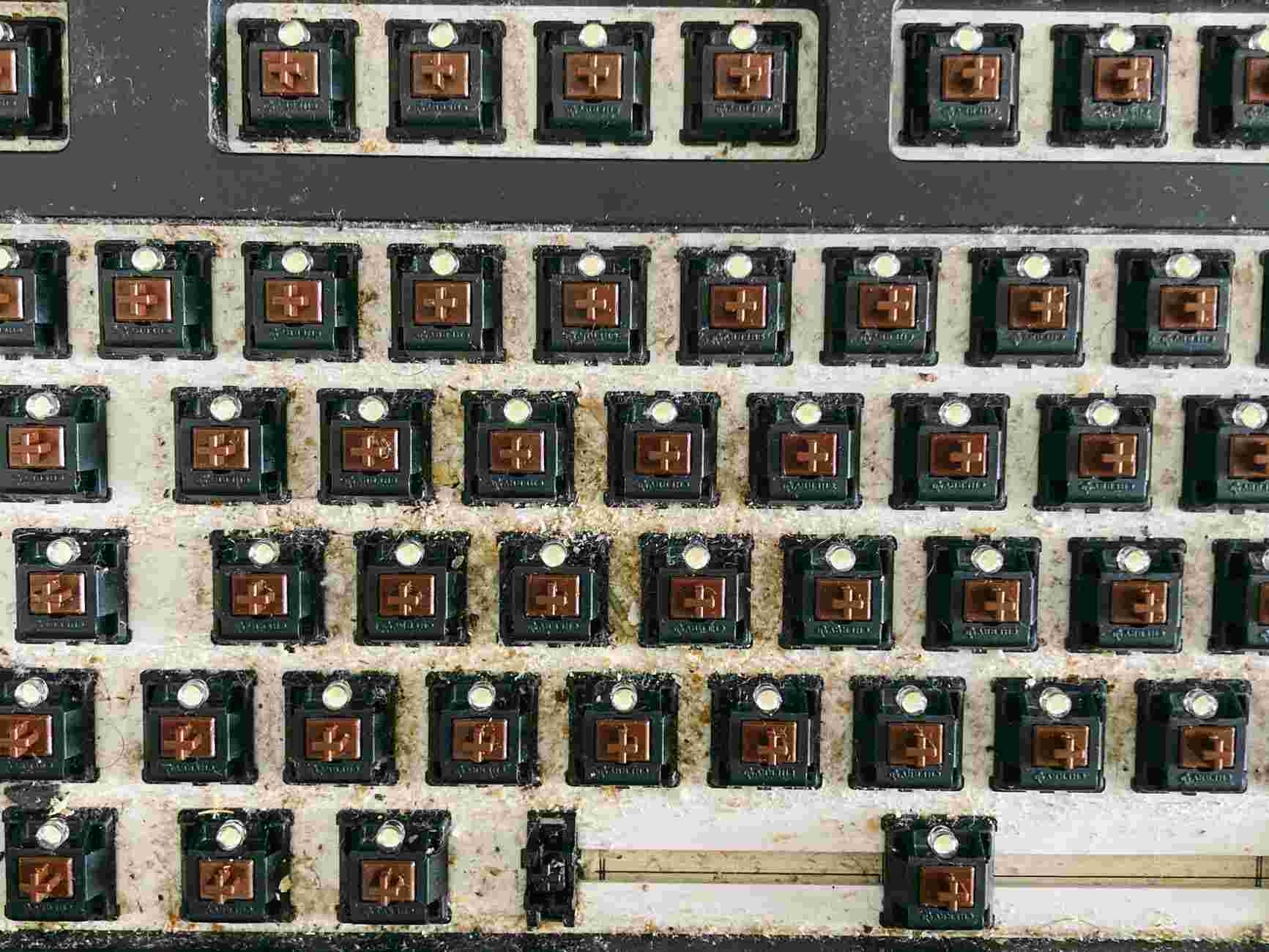
Hot-swap sockets allow you to pull a switch out of the keyboard and insert a different one without soldering, using an inexpensive two-prong puller tool. The practical benefit for most buyers is the ability to try a different switch feel after a few weeks of typing on the stock switches, or to replace a single broken switch rather than send the whole keyboard back. The three major switch feel categories are linear, tactile and clicky, and personal preference varies more than any review can predict.
Do's and Don'ts
Do's
Don'ts
Try a switch tester before buying your first mechanical
Don't guess at switches from YouTube sound comparisons alone
Match the layout to your actual workflow (65%, TKL, full)
Don't buy a full-size board if you never use the numpad
Pick PBT keycaps for durability over three-plus years
Don't settle for ABS keycaps if you type more than 4 hours daily
Enable OS-switch mode for Mac and Windows compatibility
Don't rely on default PC layout on a Mac, Command feels wrong
Replace rattling stabilisers with lubed alternatives
Don't accept rattly spacebars as unfixable, they rarely are
Keep firmware updated via QMK, VIA or vendor software
Don't ignore firmware updates, they genuinely improve typing feel
Clean under keycaps every three months with compressed air
Don't let crumbs accumulate, they kill switches eventually
Pair wireless over 2.4GHz dongle for gaming, Bluetooth for daily use
Don't game over Bluetooth, the latency is real and measurable
Use a wrist rest if typing more than 6 hours per day
Don't type on a tall mechanical without a rest, your wrists suffer
Buy one quality board rather than three cheap boards
Don't chase every new release, build a workflow and stick with it
Which to pick by scenario
For a buyer upgrading from a membrane keyboard who wants the easiest Mac-friendly mechanical with the broadest community support, the Keychron V1 or K Pro is the smartest default. The combination of QMK and VIA firmware, PBT keycaps, hot-swap sockets and £70-120 pricing is hard to beat.
For a buyer who travels with their keyboard, works from cafes or wants a desk setup that does not dominate the room, the NuPhy Air75 V2 is the pick. The low profile is a genuine ergonomic choice rather than a gimmick, and the included 2.4GHz dongle makes it the only one of this trio that pairs well with gaming use.
For a buyer who wants Cherry MX feel from the original source and is willing to accept ABS keycaps and no hot-swap, the Cherry KC 203 MX makes sense. The MX2A switches are a genuine improvement over the older Cherry generation, and the brand loyalty matters to some buyers.
What about Logitech, Razer and Corsair mainstream mechanicals
Logitech's MX Mechanical, Razer's BlackWidow V4 and Corsair's K70 range all sit in or near the sub-£150 bracket and have their advocates. Logitech wins on cross-device integration if you already use an MX Master mouse. Razer and Corsair lean toward gaming aesthetics and software ecosystems that some buyers find invasive. For office use and typing feel first, the three in this piece outrank the mainstream gaming brands.
Final verdict
The sub-£150 mechanical market has matured to the point where there is no bad choice among the three names here, only right matches for different buyers. Keychron is the volume default for Mac and Windows mixed households and the easiest first mechanical. NuPhy is the design pick for travellers and buyers who want a low-profile desk. Cherry's KC range is the brand-loyalty pick for buyers who want MX switches from the source and are not fussed about hot-swap or PBT keycaps.
The one piece of advice that holds across all three is to buy a switch tester first. A £15 tester with 12 switch samples will save you from the single most common buyer regret in this category, which is picking the wrong switch feel and then living with it for three years.
Frequently Asked Questions
Do these keyboards work equally well on Mac and Windows?
The Keychron V and K Pro ranges and the NuPhy Air series both ship with dedicated Mac keycaps, an OS switch on the chassis that flips between macOS and Windows layouts, and firmware that handles Mission Control and screenshot shortcuts out of the box. The Cherry KC range is more Windows-first with less thoughtful Mac support, so a mixed household should default to Keychron or NuPhy. For users who live in macOS all day and want Command and Option legends printed correctly on the keycaps, Keychron currently has the broadest range of Mac-themed SKUs.
What is hot-swap and does it actually matter for a first mechanical keyboard?
Hot-swap sockets let you pull a switch out of the keyboard and insert a different one without soldering, using an inexpensive two-prong puller tool. The practical benefit is that you can try a different switch feel after a few weeks of typing on the stock switches, or replace a single broken switch rather than send the whole board back. The Keychron V range, Keychron K Pro and NuPhy Air series all support hot-swap at this price. The Cherry KC range does not, which is the single most significant miss on an otherwise competent board.
How long do the wireless batteries actually last between charges?
Manufacturer-rated battery life ranges from 100 hours with backlighting on to 300 hours with backlighting off, and the real-world numbers track reasonably close in daily use. The Keychron K Pro quotes 300 hours on Bluetooth 5.1 with backlighting disabled. The NuPhy Air75 V2 quotes 220 hours with backlighting off and ships with a 2.4GHz dongle for lower-latency gaming use. Expect roughly a week between charges with white backlighting at modest brightness, and roughly two weeks with RGB fully off.
Which switch type should a first-time buyer pick?
Switch choice splits into three families: linear switches for a smooth press, tactile switches for a small bump before actuation and clicky switches for an audible click. For office use next to colleagues or on video calls, linear or quiet tactile switches are the safer default. For personal typing enjoyment with no neighbours to annoy, tactile Browns are the most popular starting point. The honest advice is to spend £15 on a switch tester with 12 samples before committing, because personal preference varies more than any review can predict.
Are PBT keycaps genuinely worth the premium over ABS?
PBT keycaps resist the greasy shine that ABS develops from skin oils and hold their printed legends through years of heavy typing. For a buyer at the keyboard more than four hours a day, PBT is a meaningful durability upgrade and justifies the modest premium. The Keychron V range and NuPhy Air75 V2 both ship with PBT doubleshot keycaps as standard. The Cherry KC 203 MX uses ABS doubleshot, which will shine with use and is the main compromise at that price.
What is the realistic total cost of owning one of these keyboards over three years?
The headline price covers the keyboard itself, but a complete setup usually adds a switch tester at £15, a wrist rest at £20 to £30 and occasionally a set of aftermarket keycaps or lubed stabilisers at £40 to £60. The Keychron V1 at £70 remains the cheapest honest entry point, landing at roughly £115 with wrist rest and tester included. The NuPhy Air75 V2 at £129 and the Cherry KC 203 MX at £129 both sit in the £170 to £200 bracket once accessories settle. Across three years of daily use, those totals work out at well under 20p a day.
Can I use a wireless keyboard for gaming without latency issues?
Bluetooth 5.1 adds roughly 20 to 40 milliseconds of latency compared to a wired connection, which is detectable in competitive FPS gaming and invisible in strategy or casual play. A 2.4GHz dongle brings latency close to wired levels and is the better choice for gaming. The NuPhy Air75 V2 is the only board in this trio that ships with a 2.4GHz dongle in the box. Keychron's K-Max line adds dongle support on newer SKUs, but not every V-series board includes it. For buyers who game competitively, verify the dongle is included before buying.
We use cookies to see which reviews and buying guides readers find useful, so we can keep improving them. Accept analytics cookies, or carry on with essential ones only. See our Cookie Policy.







 Get it on
  Download on the