
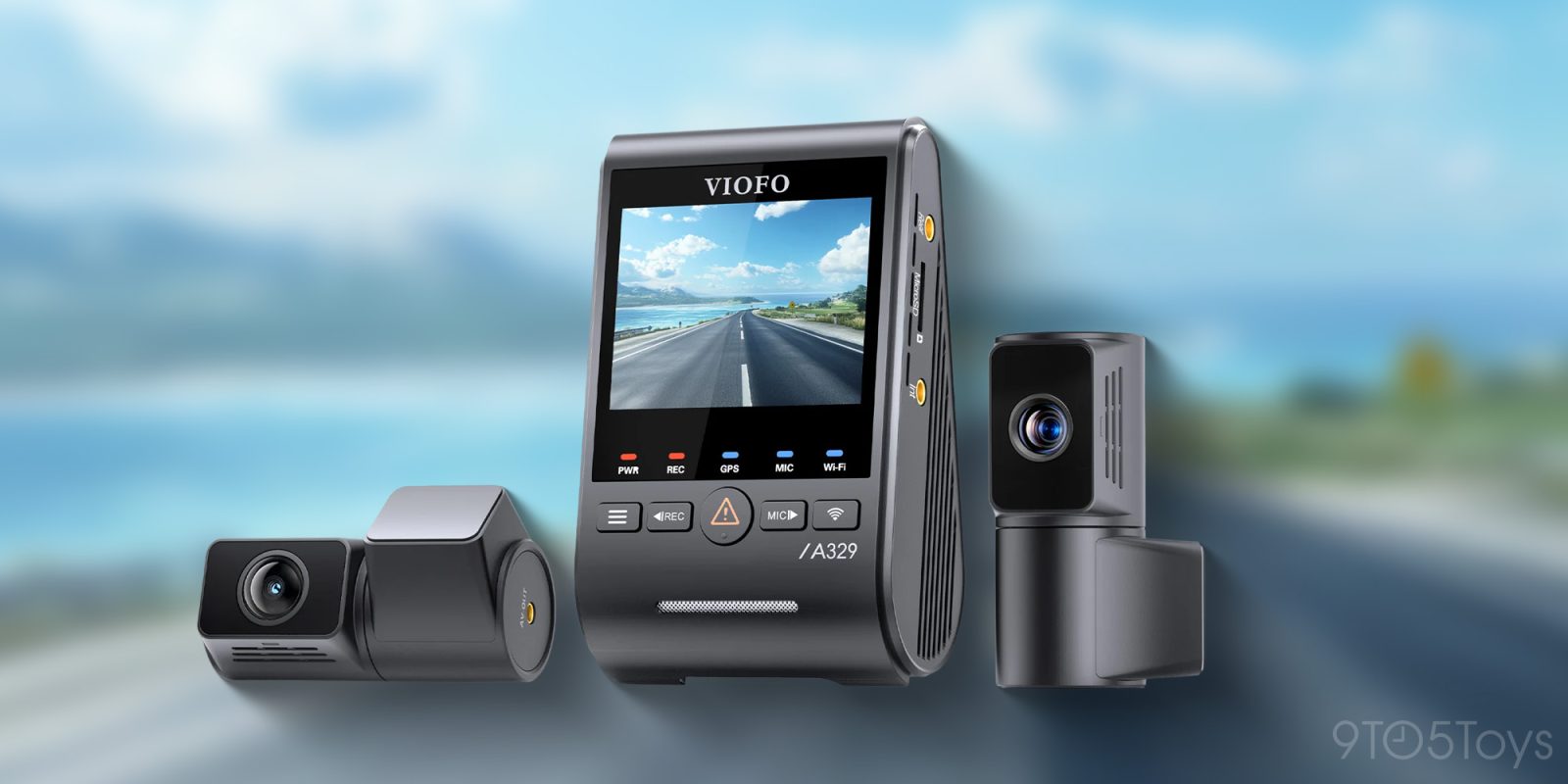
I have used a few dash cams before, but Viofo’s latest flagship really caught my eye because it goes a step beyond the usual font-and-rear setup. The A329T steps things up by adding a second forward-facing camera with a telephoto lens designed to zoom in and capture details farther down the road. I don’t consider myself a hardcore “dash cam enthusiast” but I do care about reliable video protection and clear footage. So I was very curious to see how Viofo’s newest camera setup really performs.
Tech Specs and Features at a Glance:
- 3-Channel
- Front image sensor: Sony STARVIS 2 Sensor 8MP IMX678
- Telephoto and Rear image sensor: Sony STARVIS 2 Sensor 5MP IMX675
- Video Resolution–Front+Telephoto+Rear: 3840x2160P 30fps + 2560x1440P 30fps + 2560x1440P 30fps
- HDR video
- Wi-Fi 6
- App-enabled
- GPS Logging
- Built-in 2.4” LCD Display
- Support Up to External 512GB microSD Card and External 4TB SSD
- Buffered Parking Mode Supported
- Remote Control BTR200 (Not Included, Optional)
- Operating Temperature: -20℃ ~ 65℃ (-4℉ ~ 149℉)
- HK4/HK6 hardwire kit available (Not Included, Optional)
A 3-Channel Setup with STARVIS 2
The Viofo A329T is a three-channel dash cam with a 4K front camera, a 2K telephoto lens for zoomed-in detail and license plates, and a 2K rear camera for what’s happening behind you. Each lens uses Sony’s STARVIS 2 sensor, so you don’t have to worry about one view looking noticeably worse than the others. Widely regarded as the gold standard in the dash cam community, STARVIS 2 captures more light and detail than the budget sensors found in cheaper dash cams, giving you clearer, more reliable footage whether it’s day or night. Combined, the three channels provide a more complete view of the road around you.
Daytime performance
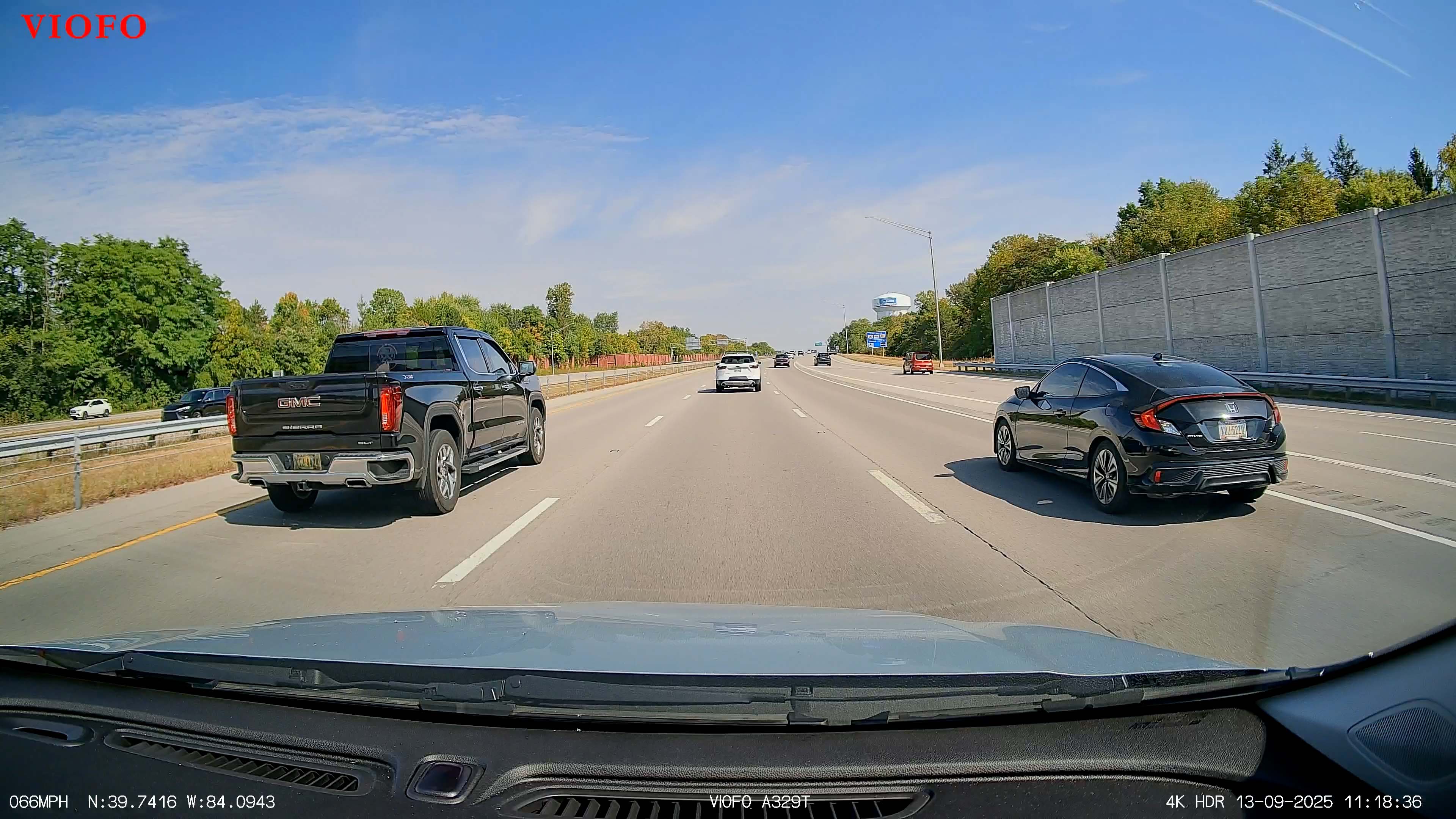
Daytime video is quite good, and I was able to capture some footage showing license plates clearly. Admittedly, this was under ideal conditions (a bright sunny afternoon and following other vehicles at a close but safe distance at normal speeds). But it’s very easy to see make and models of several cars, as well as read their license plates. While it’s easy to make out a white Chevy SUV directly ahead, the license plate is unreadable, even in 4K. This is when the telephoto lens proves useful.
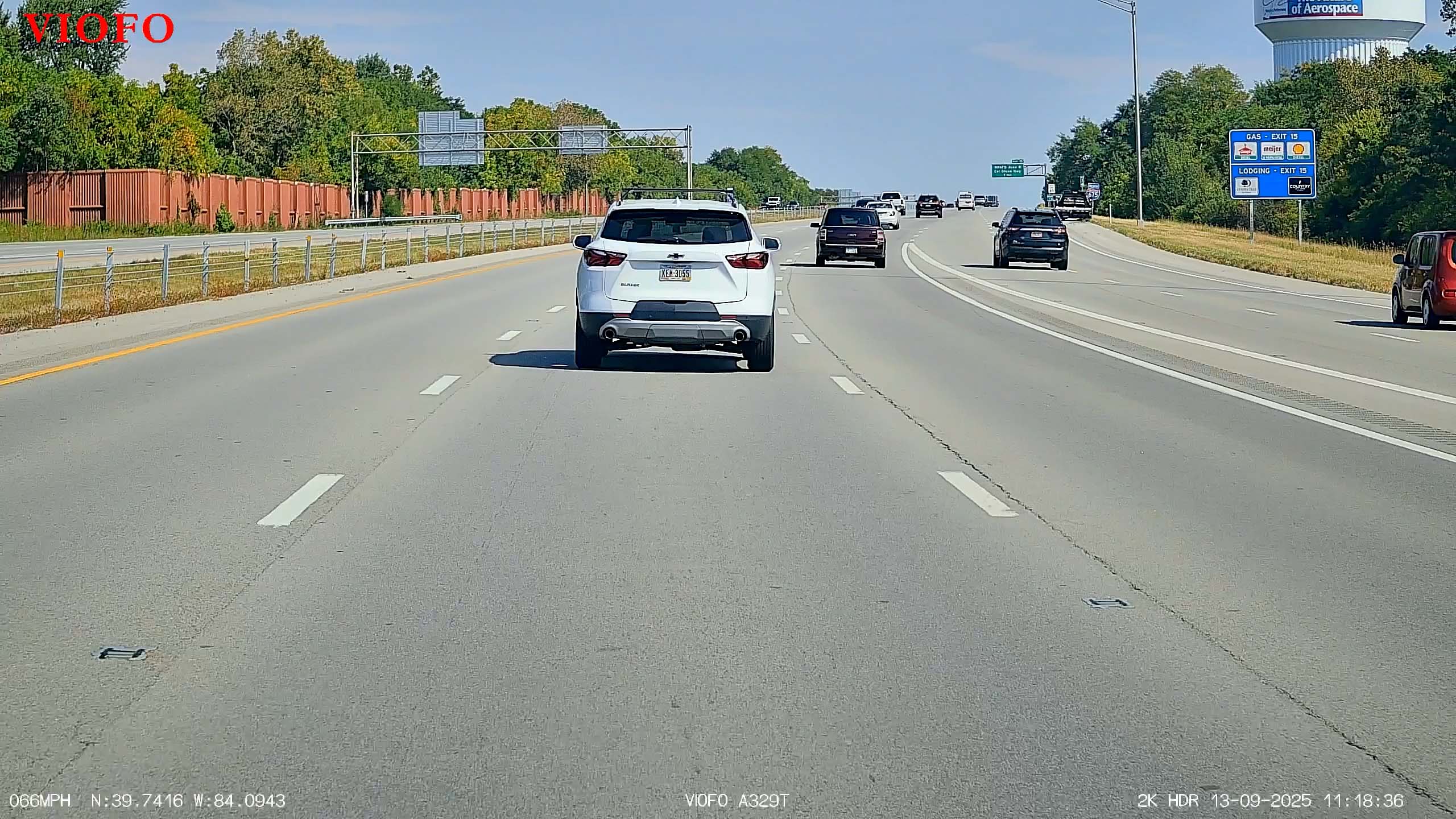
Despite being limited to 2K resolution, the telephoto lens captured the white Chevy’s license plate with impressive clarity. However, this example also highlights one of the lens’s biggest weaknesses: its narrow field of view. Notice how the black GMC pickup and the black Honda don’t appear at all in the telephoto footage. It’s a limitation worth noting, but it also demonstrates why having both a front camera and a telephoto lens is so beneficial.
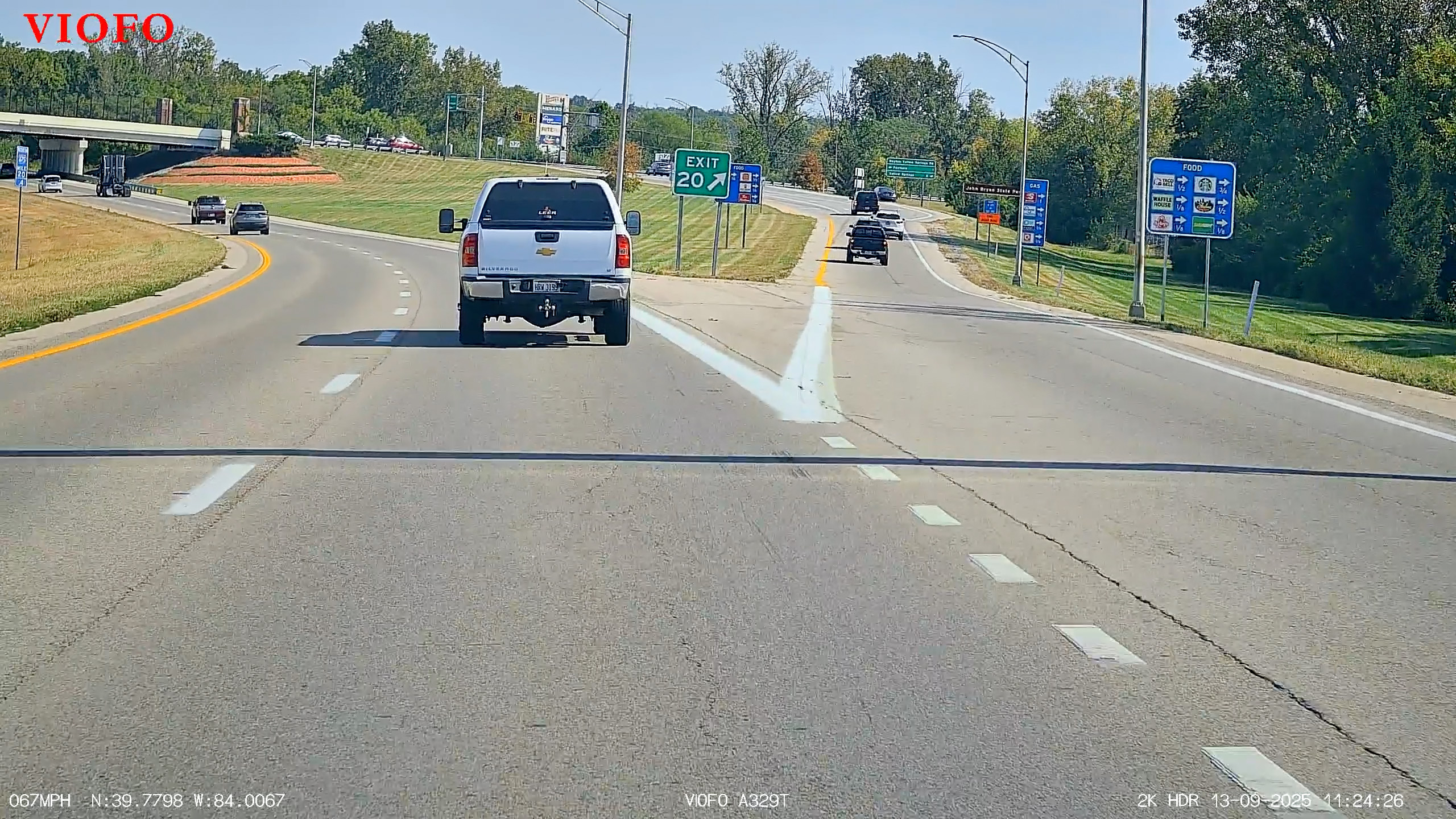
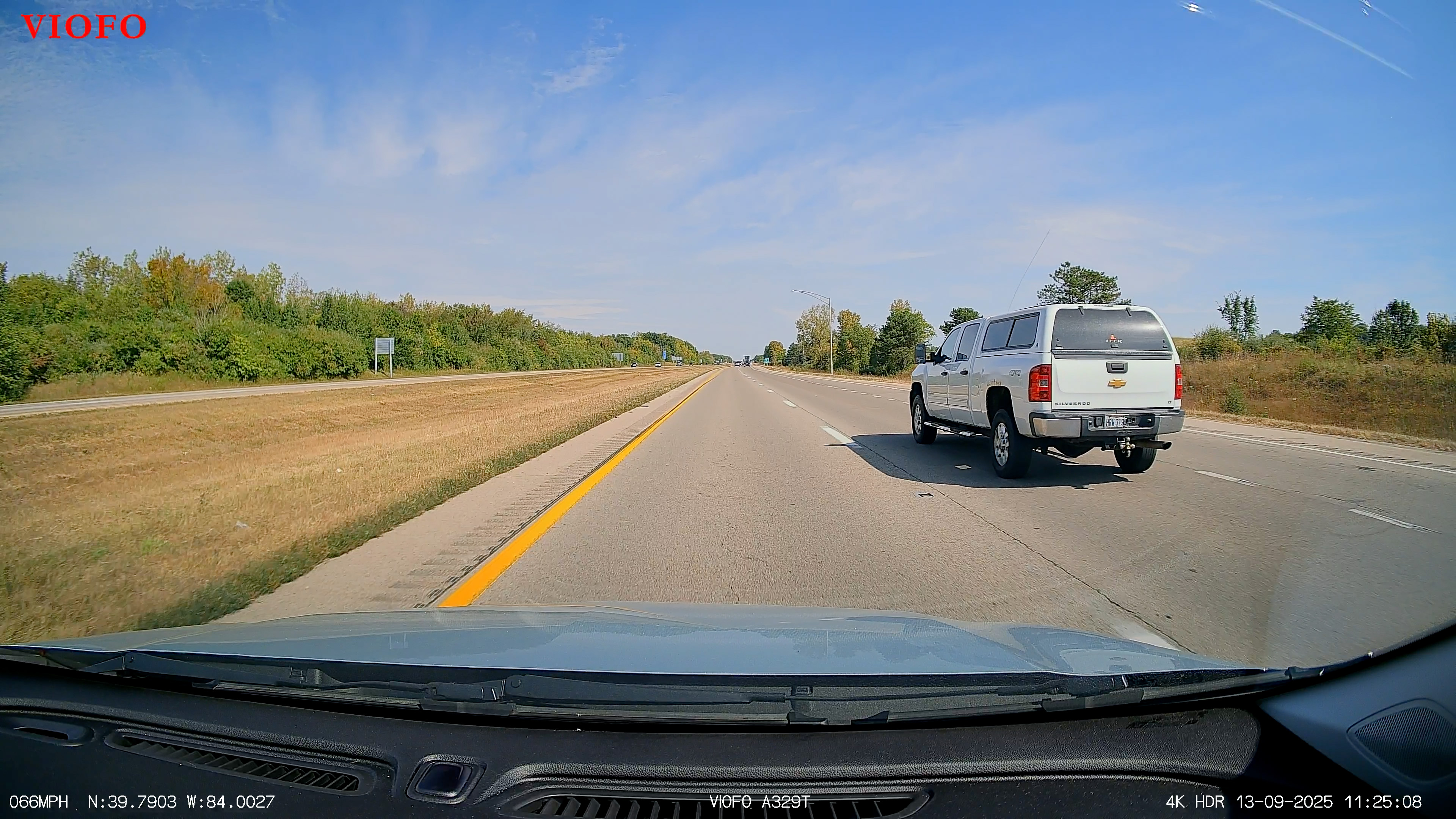
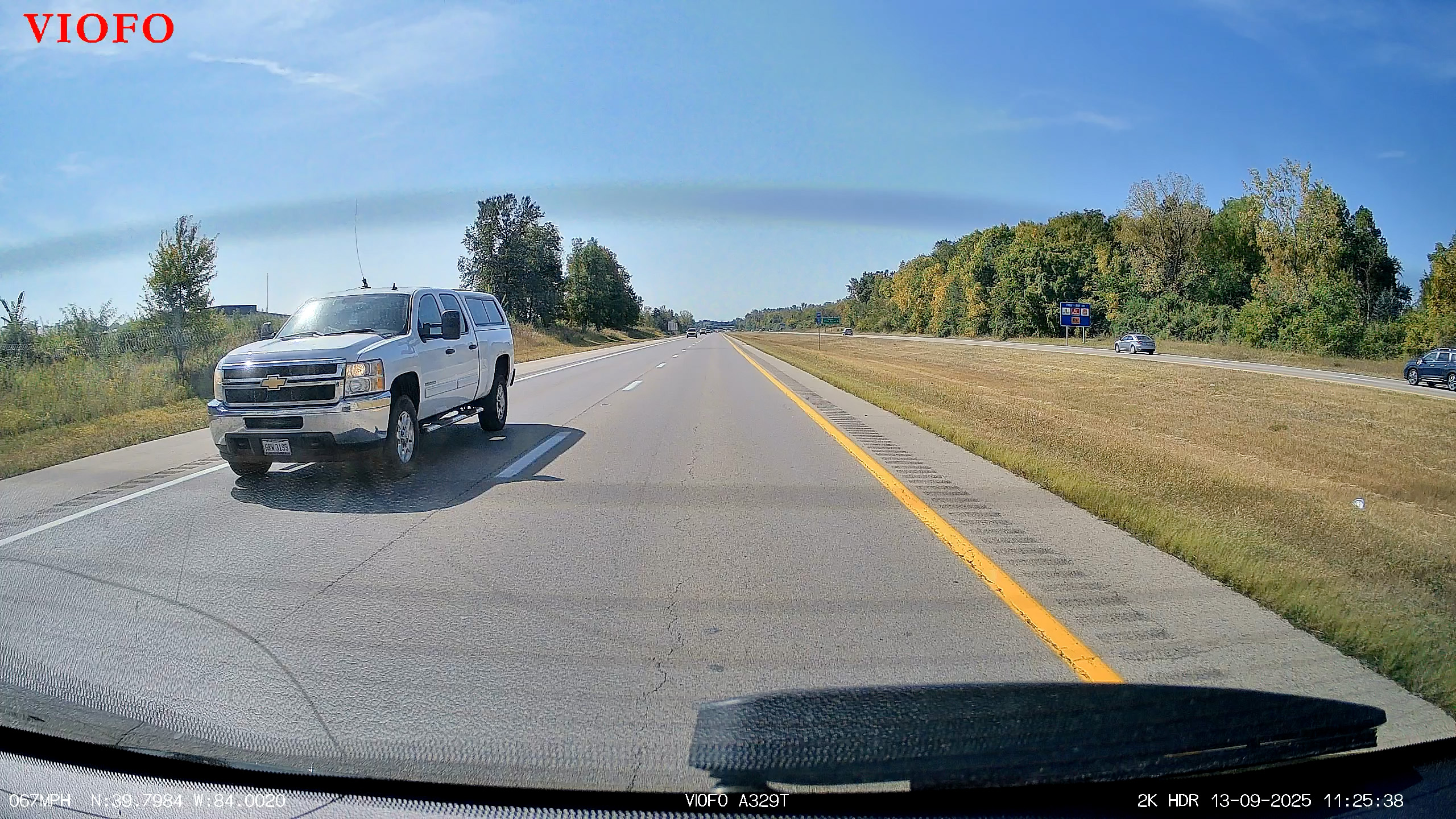
Capturing test footage of license plates with the rear 2K camera is tricky because Ohio no longer requires front plates. Luckily, I passed a white pickup truck and was able to capture its front plate around the 11:25:38 timestamp. There was some glare from my rear window, so the plate isn’t perfectly clear, but it’s still legible. This example highlights the advantage of the A329T’s three-camera setup: I was first able to make out the truck’s rear plate with the telephoto lens at 11:24:26 and then again with the regular front camera at 11:25:08. Taken together, the footage gave me about a minute of usable video that clearly captured the truck’s license plate.
After Dark: Telephoto Leads the Way
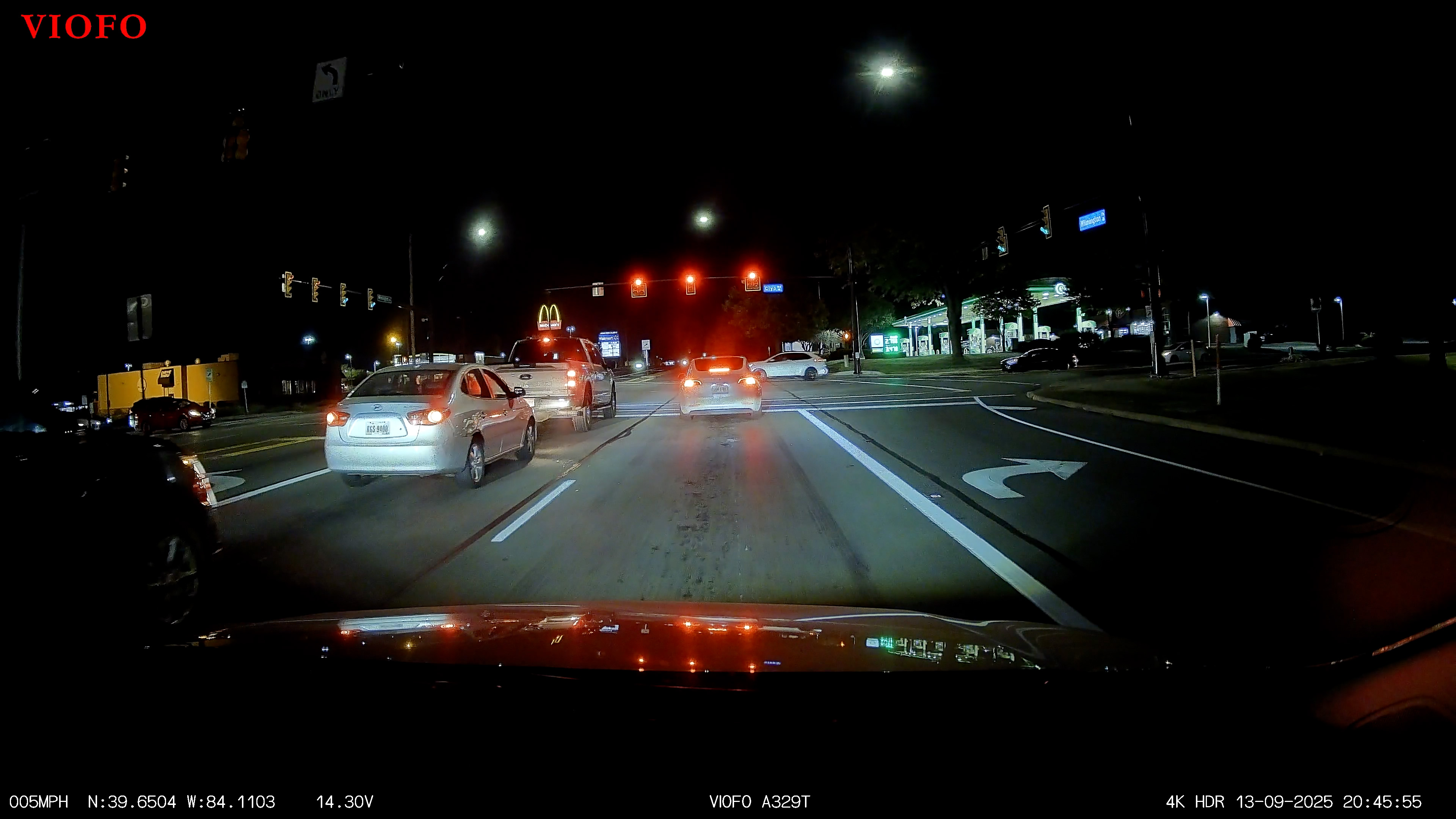
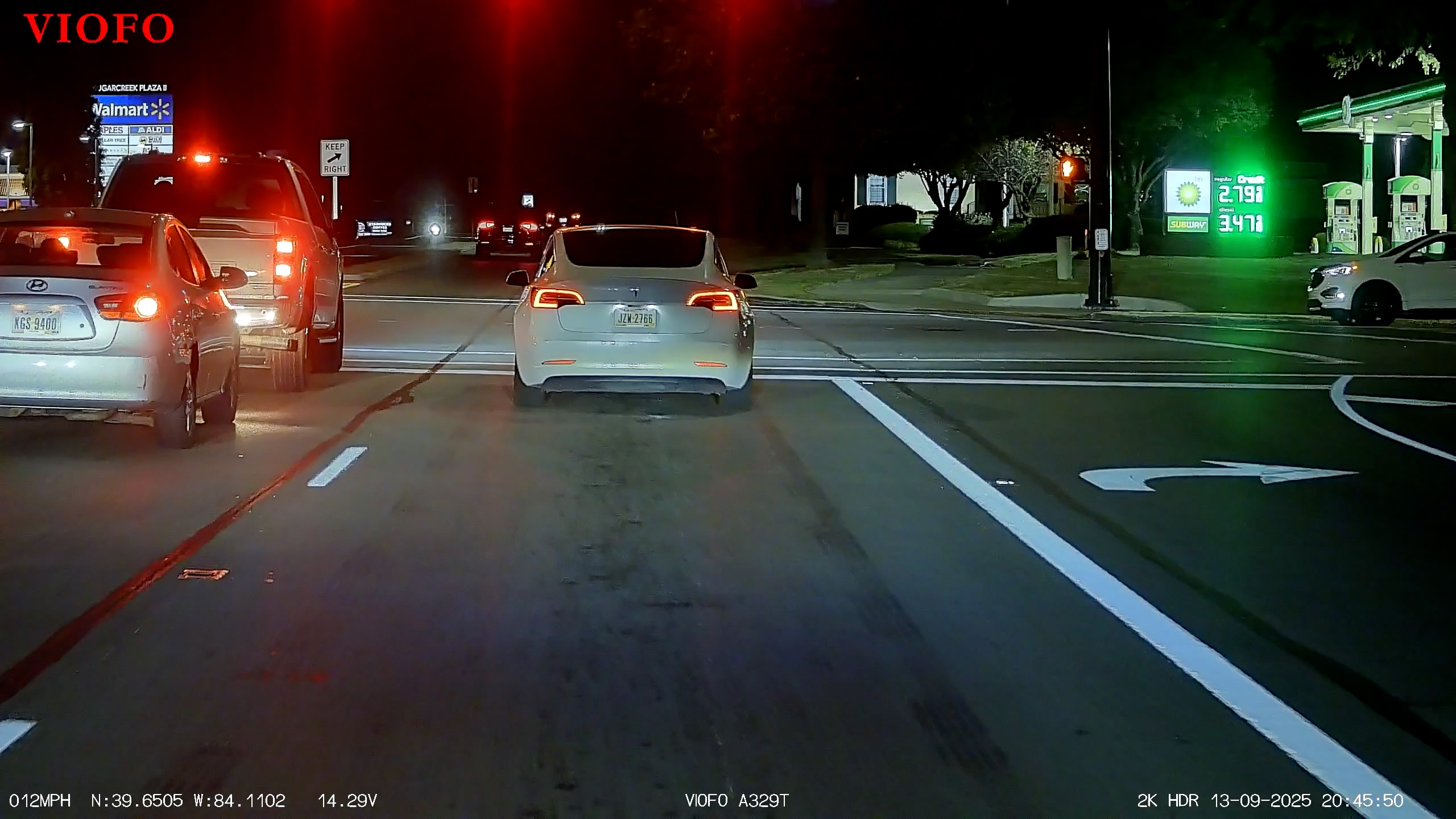
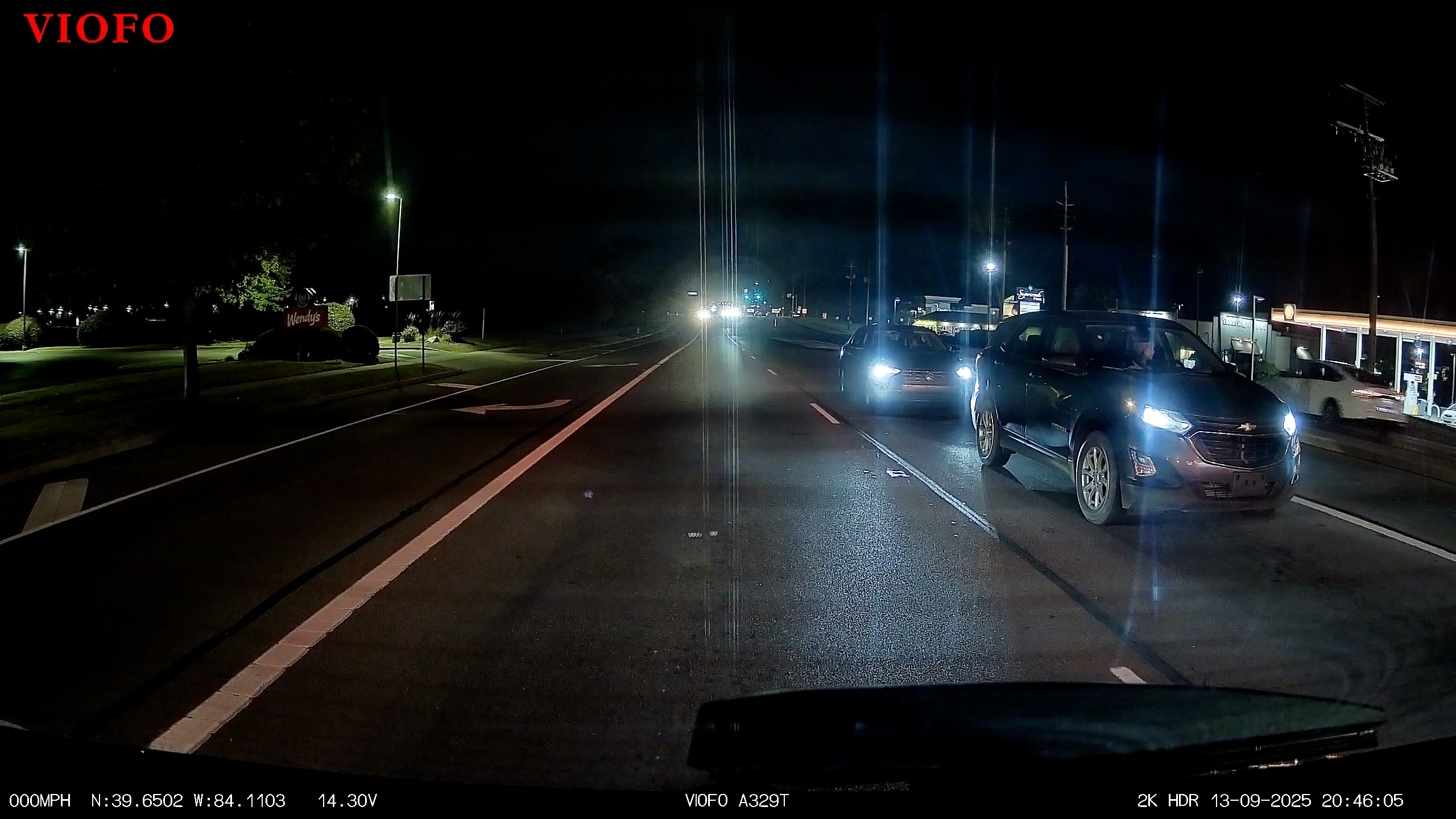
I found nighttime performance to be good but not great. The rear camera is the weakest link, with footage that’s often dark and grainy and prone to glare from street lamps and headlights. I expected quite a bit more from it. The main front camera performs better, but it can struggle in very low-light conditions and sometimes fails to capture fine details clearly. The real standout, however, is the telephoto lens. Even in challenging nighttime conditions, it manages to capture zoomed-in details like license plates more reliably than either of the other two cameras.
Separate Files or One Video: Your Choice
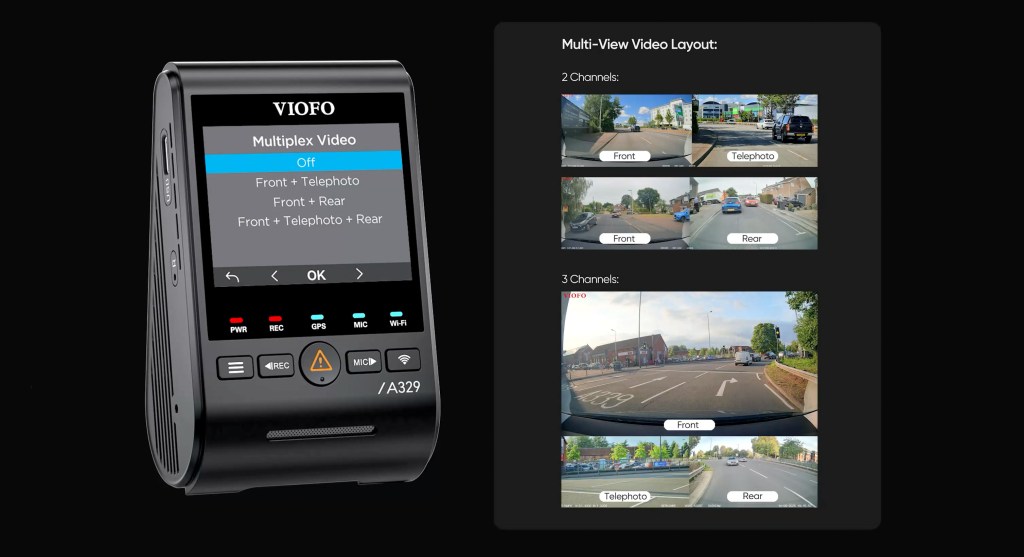
Each camera saves its footage as a separate file. At first, it may not be obvious which file belongs to which camera, but Viofo makes this easy by appending letters to the filenames: F for front, T for telephoto, and R for rear. If sorting through multiple files doesn’t sound ideal, the A329T can also combine all footage into a single multiplexed video, with the front feed on top and the telephoto and rear feeds along the bottom. However, this reduces the telephoto and rear resolution from 2K down to 1080p. Personally, I value full resolution over a single combined file, so I kept multiplex mode turned off during my testing.
Easy Transfers and Account-Free App
Transferring captured footage is straightforward, and the A329T offers three options. The most obvious method is to remove the microSD card and copy the files to a computer manually (the only tricky part is popping the card out with your fingernail). You can also use the free Viofo smartphone app for iOS or Android, which lets you mirror live recordings, review or delete footage, and adjust the dash cam’s settings. Thanks to WiFi 6, transfers are quick even with large files. For example, with the A329T set to record 10-minute loops (in the daytime examples above), the combined file size for all three cameras was roughly 7.6 GB. Copying this to my iPhone wirelessly took just a few minutes. It’s not instantaneous, but it is noticeably faster than other dash cams I have used that only support older WiFi.
The third option is to connect your phone directly to the camera using a USB 3.0 USB-C cable. This is the fastest method aside from removing the microSD card, but the short cable can make it awkward to hold your phone in place. For convenience, I primarily used wireless transfers during testing, though in a real accident scenario I’d likely opt for the direct cable for maximum speed.
Speaking of the Viofo app, I was pleasantly surprised to find that it doesn’t require an account or login to use. Yes, you read that right! In 2025, there’s actually an app that lets you use it without handing over personal data—and that’s a rare, welcome change. Beyond privacy, the app is genuinely useful: while the A329T’s built-in LCD makes changing settings straightforward, the smartphone interface is easier to navigate thanks to my phone’s larger display.
Parking Mode
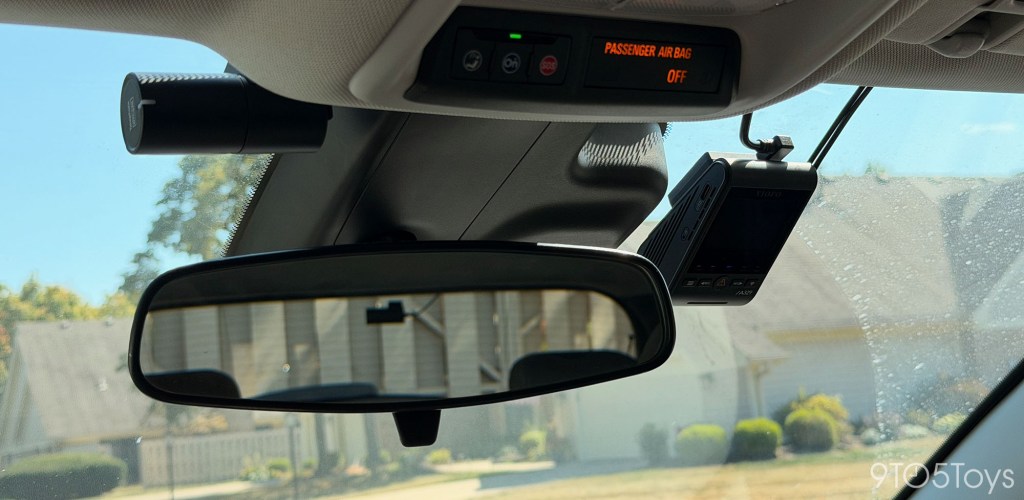
The A329T comes with a 12v car charger in the box, but the system can also be hardwired. Hardwiring enables parking mode features such as motion detection, impact detection, and time-lapse mode.
There’s also a hybrid parking mode where the dash cam starts in time-lapse, low-bitrate, or event mode, and then automatically kicks into impact detection when the car reaches a set cutoff time or voltage. If you already have Viofo’s HK4 hardwire kit installed, the A329T is backwards compatible with one limitation: using the cut-off voltage feature requires the newer HK6 kit.
Closing Thoughts
After spending some time with the A329T, I can say it feels like a solid step up from the more basic dash cams I’ve tried. The overall picture quality is sharp, and the telephoto lens genuinely proves useful for capturing license plates you might otherwise miss. It’s not the cheapest option, but if you want a dash cam that balances reliability, clarity, and ease of use, the A329T is an easy one to recommend.
Test Footage
Daytime, Front Camera (4K) – [Watch clip]
Daytime, Telephoto Lens (2K) – [Watch clip]
Daytime, Rear Camera (2K) – [Watch clip]
Nighttime, Front Camera (4K) – [Watch clip]
Nighttime, Telephoto Lens (2K) – [Watch clip]
Nighttime, Rear Camera (2K) – [Watch clip]


FTC: We use income earning auto affiliate links. More.



Comments