

Belkin is one of the first brands out of the gate with new 25W MagSafe charging stands and today we are taking a hands-on look at the flagship UltraCharge Pro model. Delivering certified Qi2.2 25W charging with optional ChillBoost active cooling, let’s dive in to see if the faster charging and built-in fan are worth upgrading from the 15W model you already have.
Belkin UltraCharge Pro 25W MagSafe stand review
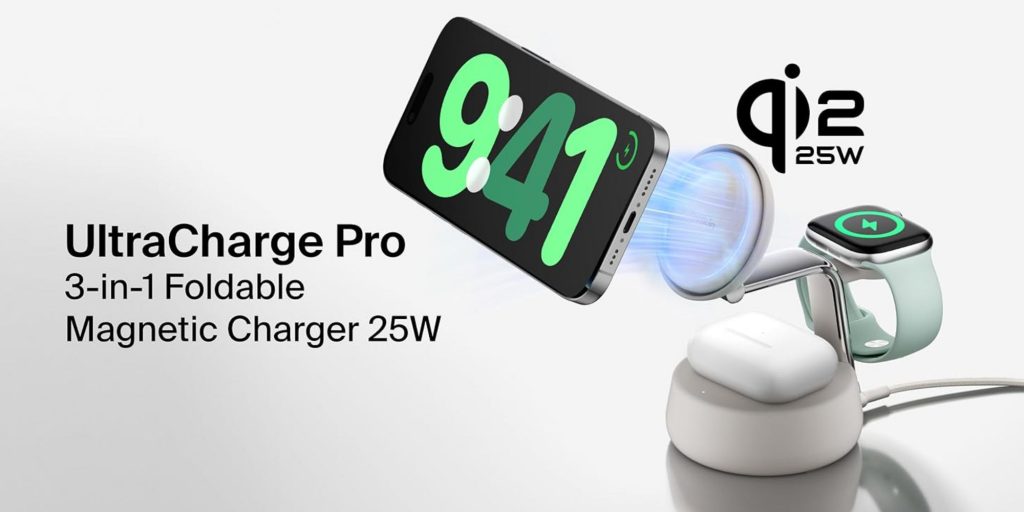
The new Belkin UltraCharge Pro 25W MagSafe stand comes in a sort of charcoal gray or off-white color with chrome detailing and a $129.99 list price. It ships with the 45W USB-C PSU and a 5-foot USB-C cable to power it.
Features at a glance:
- Get 5X faster wireless charging up to 25W
- ChillBoost active cooling technology provides temperature regulation
- Charge an iPhone from 0-50% in 25 minutes
- Premium materials with a chrome finish, and soft touch silicone
- Weighted base allows for easy, one-handed placement
- Adjustable angle to charge and view device in landscape or portrait mode
- Powered by Qi2 25W Certified technology
- 5ft/1.5m USB-C to USB-C cable and 45W USB-C PSU included
- Made of a minimum of 85% post-consumer recycled materials
- 2-year warranty
gadgetnewsonline’ Take
Firstly let’s talk about the build and aesthetics here. I like the look, albeit not quite as much as some of the more slender and minimalist 15W models from the likes of Satechi, Nomad, and Twelve South. But none of those brands have a new 25W Qi2.2 model yet, and I suspect they will be just as expensive or even more so when they do. I don’t hate the look here, it’s just slightly more chunky than I would like.
All of that said, the thick base, which presumably houses the tech to power the cooling unit and the 25W of power output, is, on the positive side of things, quite weighty – you’re not going to need to worry about this thing sliding around your work surface.
More specifically speaking in terms of the looks here, I quite like the polished metal extension that carries the main MagSafe pad and Apple Watch charger. It adds a touch of elegance and lux to the look and, while a bit of a fingerprint magnet, you’re not going to be touching it all that often and it is easy to wipe down.
The base and the MagSafe pad feature one of those soft rubberized finishes. I don’t love it, and I don’t hate it, and it can attract more dust than I want, but it’s hasn’t been quite as annoying as I thought it would. You can just give it a quick blow every once in a while but the dust and lint floating around in your space doesn’t come off as easy as I would live – hey tech accessory makers, stop using this material please.
ChillBoost
I personally don’t really care about the onboard cooling on chargers like this – traditional 15W models have been just fine for me. But here are some thoughts after using this charger for a few weeks:
While I feel like the actual performance of the air cooling on chargers like this is going to vary from use case to use case, I have had a good experience thus far. The only time I would actually get one of those overheat-like warnings comes in the form of the old “Charging on Hold…until iPhone returns to normal temperature.” I would get these from time to time when on long video calls for work and the like using a typical 15W MagSafe stand. But I have not seen this message on the last few calls I have been on while using the new Belkin Ultra Pro (or at all), so something must be working here.
Let’s talk noise levels. I think one concern that comes to mind with these air cooling units hidden inside charging gear is the noise level. Most of them come in the form of a sort of fan, much like we are seeing incased inside of the MagSafe pad on the Belkin Ultra Pro here, after all, but this thing is whisper quiet. You can’t even notice it is on when on a call, for example – you can only really hear it if you’re focused on it in a particularly silent space, so good news all around here. You can always just turn it off and on with the switch around back if needs be anyway.
The real thing with the cooling is to help speed up charging.
Qi2.2 25W charging
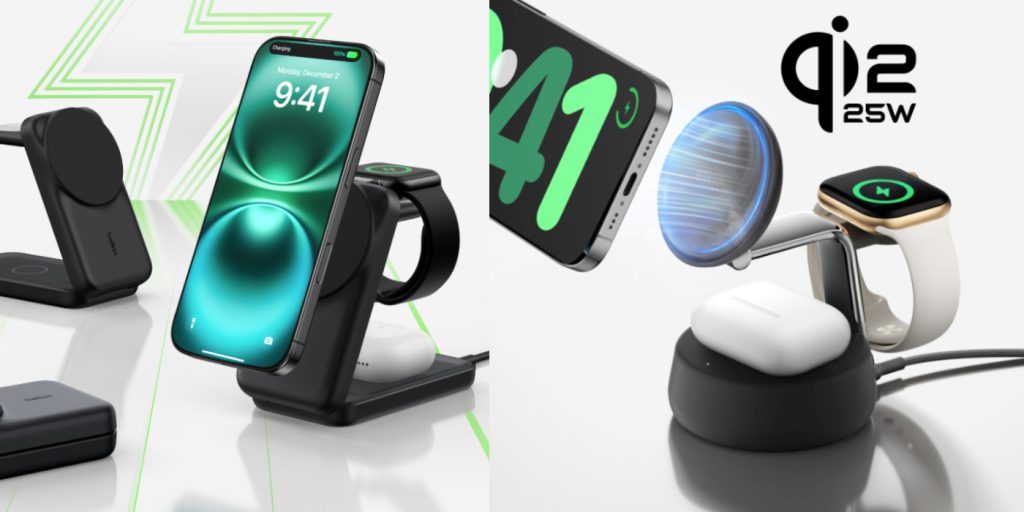
Next is charging speed. This is of course part of Belkin’s new 25W MagSafe charging lineup that delivers Qi2.2 speeds to devices that can ingest it. I am perhaps not the best person to judge this sort of thing as 15W has always been more than fast enough for me, but in my testing it took an iPhone 16 Pro from 2% to 50% in about 25 minutes running iOS 26 – that’s about on par with what I have seen other 25W chargers pull off as well.
Here’s the thing, with the cooling fan in place, things get faster for charging. I took just under an hour and half to take 16 Pro from just over 0% to 80% without the fan and just over under hour with it. This seems to be and will continue to be a trend with 25W chargers – you need some cooling action for Apple to let the Qi2.2 standard do its thing. Generally speaking, charging is about 10 to 15 minutes faster with the fan on.
The Apple Watch fast charger goes from 0 to 80% in roughly 45 minutes (it has been more like 48 minutes for me on Apple Watch Ultra 2), which is to be expected here, and the Qi pad is the base is the same old 5W we are all used to by now.
In the end, it all worked great for me and faster than a 15W model, but all of this is going to depend on what phone you have, how you have it setup, and how much battery power is left on it when you stick it on the charger. Just know it is faster in just about every scenario I tested with iPhone Air, 16 Pro, 17 Pro, and 17.
The real question for me is whether or not the $129.99 asking price is worth upgrading just for what is a new design and faster charging. And in my case we are talking slightly faster because I don’t really care all that much about that. This is a premium charging solution and one worth considering if you’re looking to upgrade and truly do need/want the faster speeds though. Belkin’s chargers have always sat somewhere near the top of the heat in my testing, and this is, thus far, the best 25W model I have had a chance to test out. In fact, it is probably the best one you can buy right now. It just depends on whether or not the extra 10W of juice and the cooling fan is worth spending another $130 to upgrade the one you already have. For me, it’s not, but I suspect it is for many and this one should be on your short list.
Buy the Belkin UltraCharge Pro 25W MagSafe stand


FTC: We use income earning auto affiliate links. More.




Comments