

PDF Expert Premium for Mac is down to $79.97 this week only (MSRP $139.99). This lifetime PDF tool promises Adobe Acrobat-style editing, signatures, conversions, and OCR without any subscription fees. Sounds bold… so does it actually hold up to what it says it does? Let’s take a look:
PDF Expert Premium vs Adobe Acrobat
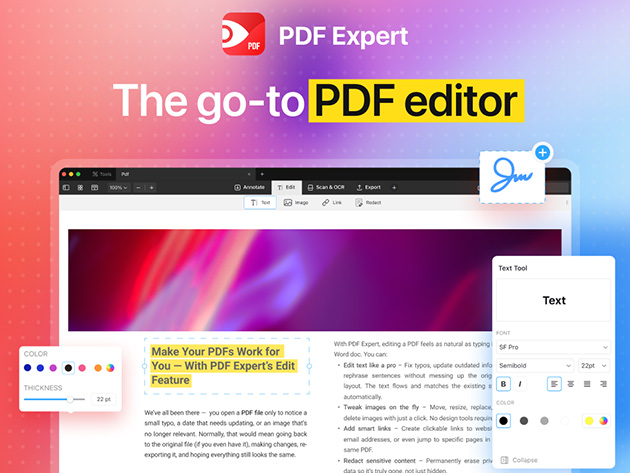
Built for macOS, PDF Expert feels fast and lightweight, so routine jobs like fixing typos or swapping a logo don’t bog you down. The interface is clean and predictable, which makes it easy to jump in, finish the task, and move on. For day-to-day edits that many people keep Acrobat around for, this covers the bases without the monthly bill.
Reviewing and markup are equally smooth. You can highlight passages for teammates, drop comments in the margins, and stamp approvals without clutter. Page management is also straightforward: merge multiple files into a single deliverable, rearrange or rotate pages, or split a chunky packet into smaller sections for sharing.
Here are the core tools most readers care about, at a glance:
- Edit text, images, and links to update contracts, reports, and brochures.
- Annotate quickly with highlights, comments, and stamps.
- Organize pages—merge, add, delete, rearrange, rotate, or split.
- Fill and sign forms in a few clicks or collect one-time customer signatures.
- Redact sensitive info so confidential data is permanently removed.
PDF conversions are robust in both directions. Turn Word, Excel, PowerPoint, JPG, and PNG into polished PDFs, or convert PDFs back to editable Word, Excel, PPT, images, or plain text when you need to make deeper changes.
Built-in OCR recognizes text in scans so you can search, copy, and highlight like it was born digital, and scan enhancements clean up shadows and skew for a more readable result.
Get this lifetime PDF editor for Mac while it’s on sale for $79.97 (MSRP $139.99). No coupon is needed to get this price.
PDF Expert Premium Plan: Lifetime Subscription (Mac)See Deal
StackSocial prices subject to change.

FTC: We use income earning auto affiliate links. More.


Comments