

Today, we’re going hands-on with UGREEN’s new Finder Tag – a fresh alternative to Apple’s AirTag that hit the scene earlier this year. Currently at $12.59 Prime shipped, this item tracker is half of what Apple charges which makes it a budget-friendly alternative. The real question, however, is whether it holds its own against the AirTag, or is it just another alternative at a throwaway price. Let’s dive into some real-world impressions and see if UGREEN’s Find My-compatible tracker is actually worth your money.
You’re reading Tested with gadgetnewsonline, where we explore everyday tech essentials that make life a bit easier. Browse through our entire guide for all of the latest reviews, and sound off in the comments below if there’s something you’d like to see featured.
Hands-on with the UGREEN Finder Tag
UGREEN’s official Amazon storefront is currently offering the Finder Tag down at $12.59 Prime shipped once you clip the on-page 10% off coupon. Unlike the Anker SmartTrack Link which comes in a 4-pack, you can only buy single units of these. Here’s a quick rundown of the features before we jump into the experience of using it.
Features at a glance
- Works seamlessly with Apple’s Find My network
- Designed specifically for iOS devices like iPhones
- Removable cover to access the battery
- Included lanyard to use with keychains, etc.
- Ships with a CR2032 lithium battery pre-installed (just peel off the protective film before using)

gadgetnewsonline’ Take
In terms of the design, the UGREEN Finder Tag has a square-shaped shell as opposed to a circular one like the AirTag. I’d say it looks similar to Spigen’s TagMe unit that we recently reviewed as well. It’s small enough to be neatly tucked inside a bag or luggage without any space constraints. This unit is not too thick, but it is thick enough to make your wallet feel bulky. This isn’t ideal to keep in your wallet for tracking, and you might want to turn to something like UGREEN’s FineTrack Slim Smart Finder instead which is sleek and slides in like a credit card. Coming back to the Finder Tag, this only has a plastic shell, so you definitely won’t feel the weight of this tiny tracker.
UGREEN includes a short lanyard which you can use to loop this tracker around things like keychains, saving you some cash that you’d otherwise spend on keychains and loop accessories like you would have for an AirTag. Another highlight here is that the front cover on this plastic shell pops right off, revealing a CR2032 button battery which you can replace easily. UGREEN includes a SIM ejector pin inside the box to help you remove the cover and I’d say it’s fairly easy to get to the replaceable battery, though not super simple to make it safer around children.

UGREEN says this battery can last for up to two years before needing a replacement, meaning it essentially has double the battery life compared to an AirTag. While I wasn’t able to fully test the battery life considering I’ve only had it for a few weeks, and the battery indicator in the Find My app – unsurprisingly – says it still has a full charge.
Alright, let’s get into how it performs with Apple’s Find My network because that’s what we’re really here for. Setting up the Finder Tag, as you’d expect, is pretty straightforward, and it’s similar to how you’d get other third-party trackers up and running. You pair it through the Find My app on your iPhone, assign a name and an icon, and that’s pretty much it. I was able to take the tracker out of the box and have it ready to go in under 5 minutes.
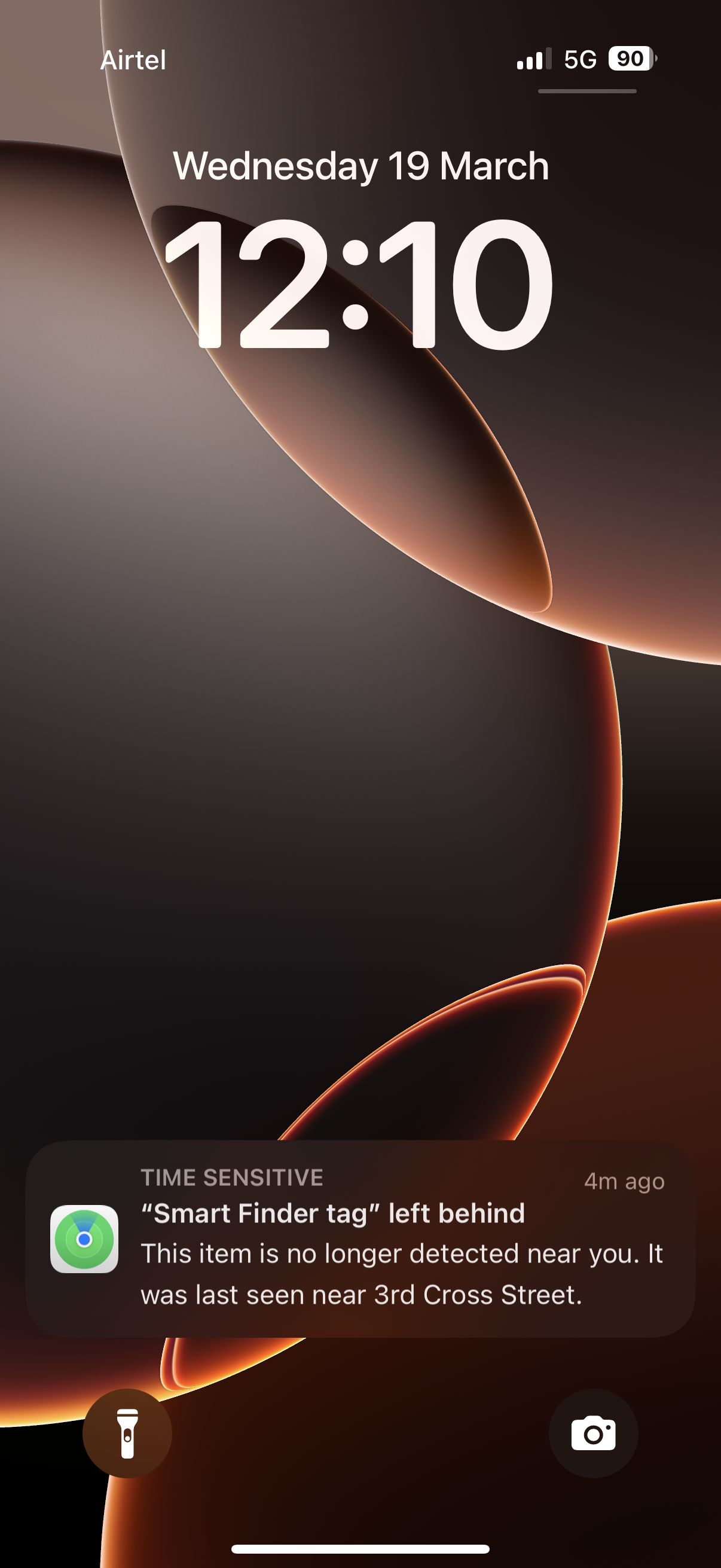
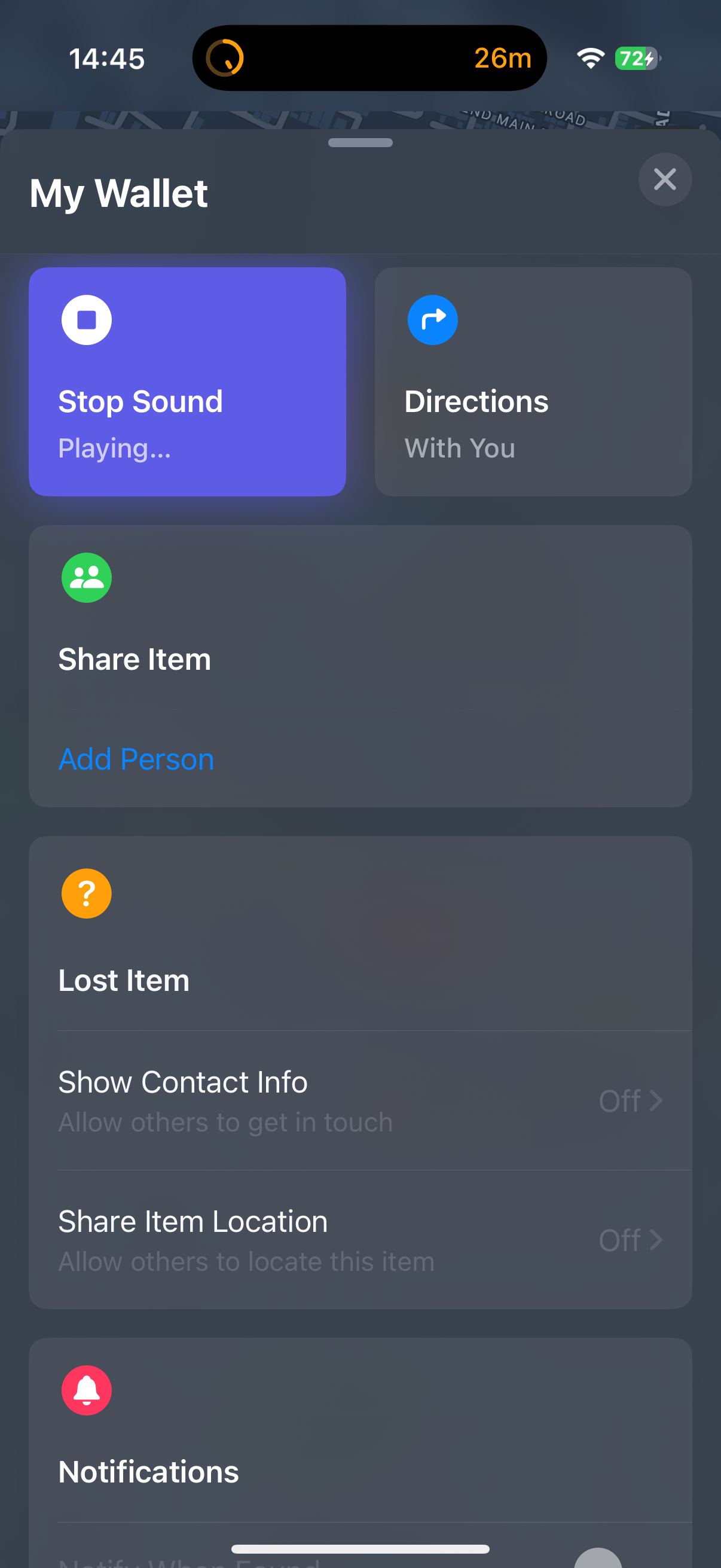
The Finder Tag supports the usual Left Behind notifications well with a pop-up on your phone if/when you leave it behind and leave your house. I tested this multiple times and it worked as advertised. These trackers also have an onboard speaker which is used to trigger alarms or sound in case you want to locate it within your house. The tracking on Apple’s Find My app is also reliable and works very well.
I recently took a trip and used the Finder Tag to track my luggage, and it worked exactly how an AirTag would have to help me track my belongings. This came in handy when I wanted to track and check if my luggage arrived at my transit airport and also whether it was being loaded onto my connecting plane to the destination. Using a tracker, in case you didn’t know already, is a great way to find the exact whereabouts of your luggage and you can even use it and help airlines pinpoint the location of your luggage and tell them whether it was even loaded on to the connecting flight or not in case they mess up.

Another instance when the Finder Tag came in handy was when I used a luggage storage facility to kill some time outside for a few hours before checking in to Airbnb. I was a bit skeptical about using a locker service that I had no knowledge of in a new country, but being able to track my luggage with this tracker made it easier.
All things considered, I can safely say that the UGREEN Finder Tag works very well, and at no point was I worried about not using an AirTag instead of this. There are plenty of affordable AirTag alternatives out there, but not all of them work reliably well the way this one does or are as affordable at 50% less than an AirTag. I’d say it’s worth adding to your list of AirTag alternatives alongside the Spigen TagMe or the Anker SmartTrack Link.
Buy the UGREEN Finder Tag Apple Find My tracker


FTC: We use income earning auto affiliate links. More.




Comments