
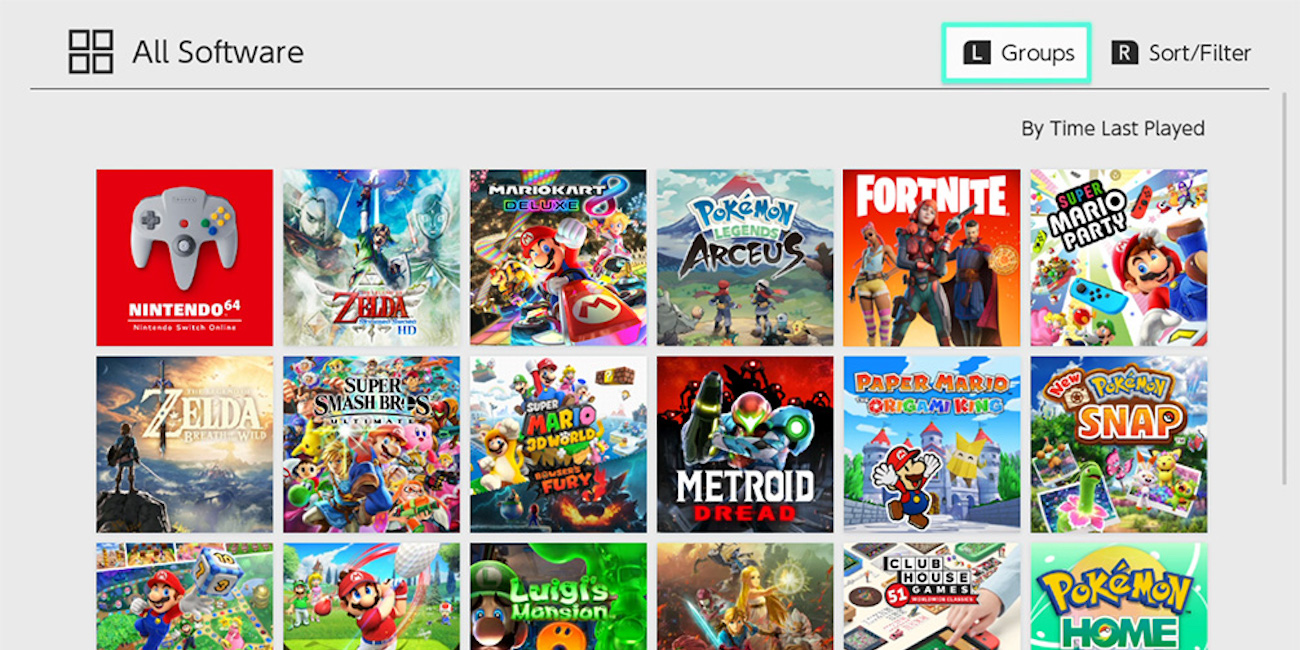
If you’ve ever wondered how to create folders on Switch, Nintendo has now finally made it possible. The latest Nintendo Switch system update has arrived with few nice quality-of-life features including the ability to finally organize your games and apps properly. Some five years after the release of the original hybrid console and six months after delivering proper Bluetooth support, Nintendo has now issued the latest Switch update that brings a groups organization feature to the UI alongside enhancements of the newfound wireless audio system. Head below the fold for a closer look at the update and how to create folders on Switch with the new “Groups” feature.
How to create folders on Switch with the new “Groups” feature
Many folks have been clamoring for Nintendo to introduce some kind of organization feature, and the latest Switch system update has finally delivered. The new “Groups” feature allows folks to do just that – create groups of games and apps into custom folders, much like we see on a range of other tech ecosystems. Folks can now create up to 100 different groups or folders, each able to carry up to 200 titles, for collated access and an overall more organized Switch UI experience.
Anyone with more than 12 titles on their system can access the new Groups feature via the Switch’s “All Software” menu. You’ll find a detailed breakdown of how it all works right here.
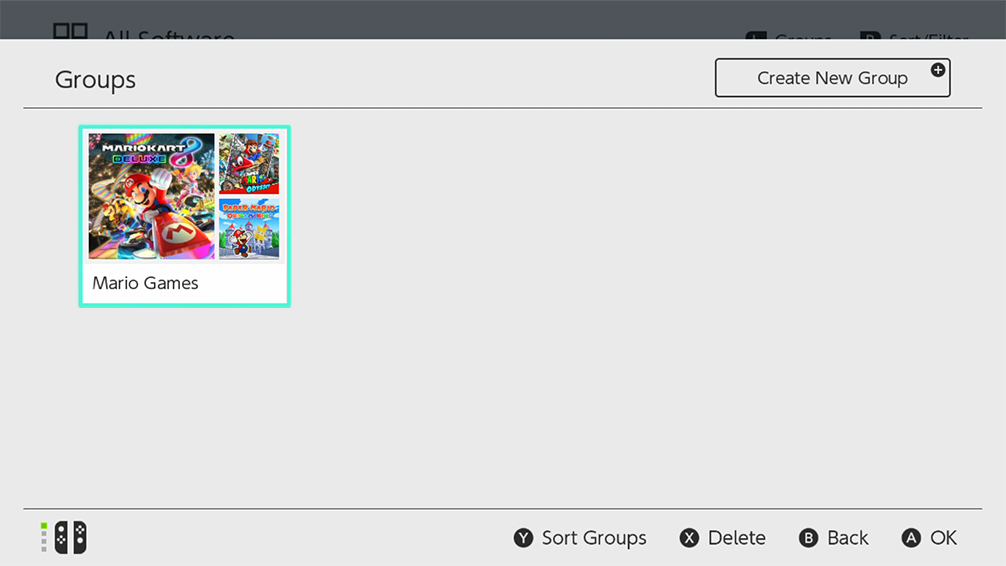
And here’s a more in-depth look at the latest Switch system update from Nintendo (Ver. 14.0.0 – Released March 21, 2022):
How to create folders on Switch: ”Groups” feature was added to the All Software menu.
- You can now create groups of software to help organize your software titles.
- Making groups for different game genres, developers, or whatever you’d like to organize by may make it easier to find the application you want.
- Up to 100 groups can be created with a max of 200 titles per group.
- The button to proceed to the “All Software” screen is displayed only when there are 13 or more software title icons on the system.
- For more information, see How to Create Groups of Software.
Bluetooth Audio volume behavior was changed.
- You can now adjust the volume of Bluetooth audio devices using either the Nintendo Switch console or through volume control buttons on the Bluetooth audio device.
- The Bluetooth audio device must support AVRCP profiles for these changes to work.
- The volume displayed on the console will reflect the Bluetooth audio volume when using the device’s control buttons.
- The maximum volume output for some Bluetooth audio devices has been increased.
- When first connecting a device, volume will be reduced to avoid sudden loudness.
- For more information, see How to Pair and Manage Bluetooth Audio Devices.

FTC: We use income earning auto affiliate links. More.



Comments